|
Windows
2000 Dial-Up Configuration
-
You
can get to the Dial-Up Networking Folder by clicking
the Start button and selecting Settings
and then clicking Network and Dial-up Connections
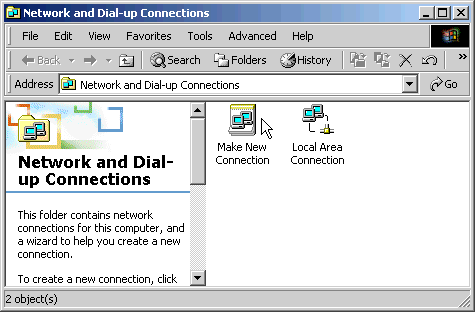
-
Double
click the Make New Connection icon. If
you haven´t previously configured Dialup Networking
then the screen below will ask you for some basic
information. If you don´t see the screen below,
than skip to step three
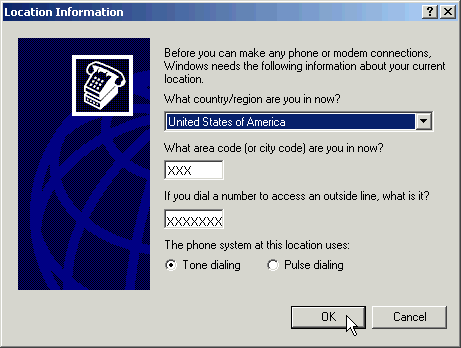
-
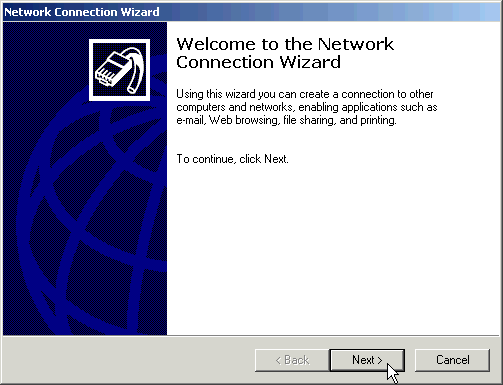
In
the Network Connection Wizard window, click
Next
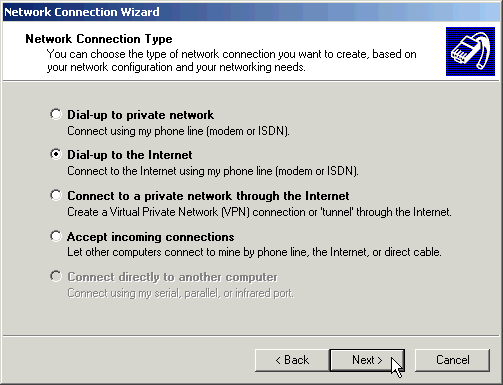
- Select
Dial-up to the Internet and then click Next
- Select
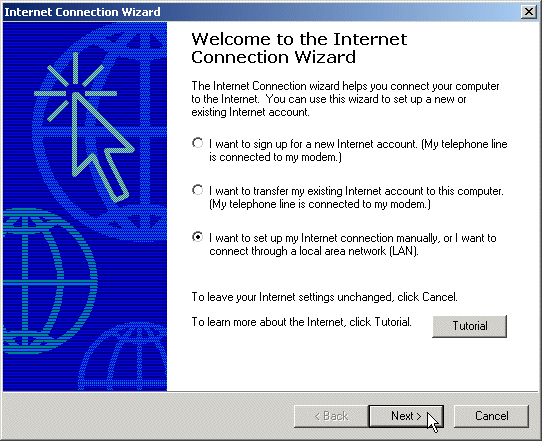
I want to I want to set up my Internet connection
manually, or I want to connect through a Local Area
Network (LAN), as shown below and click Next
- Select
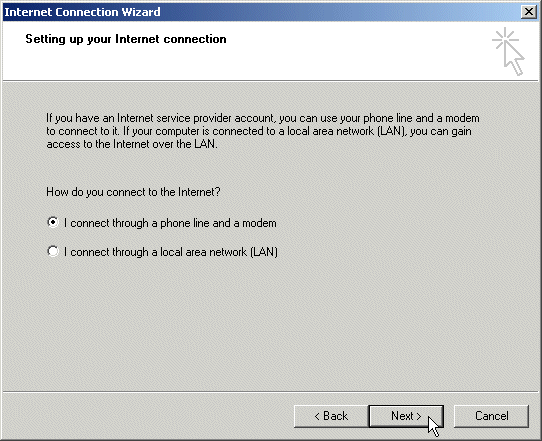
I connect through a phone line and a modem,
then click Next
-
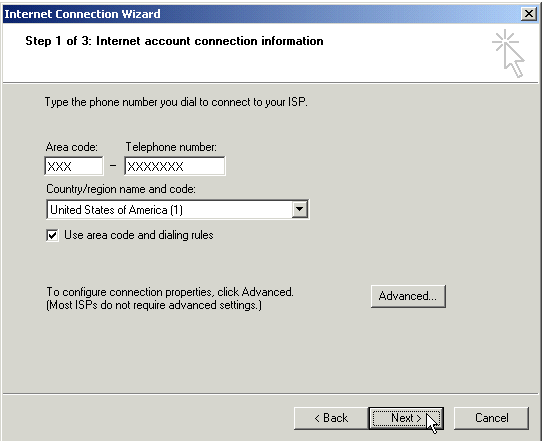
- Enter
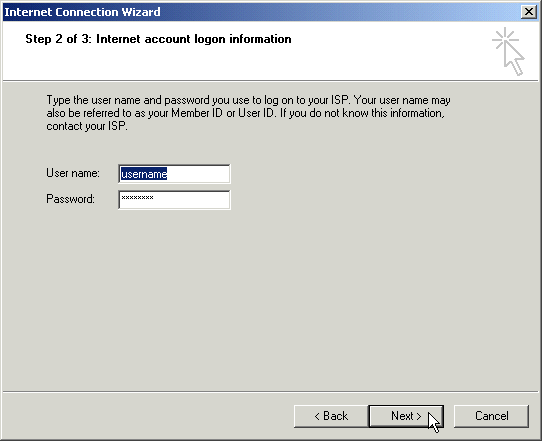
your User name and Password (you should
have received this on your Welcome Letter). Click
Next
-
Enter
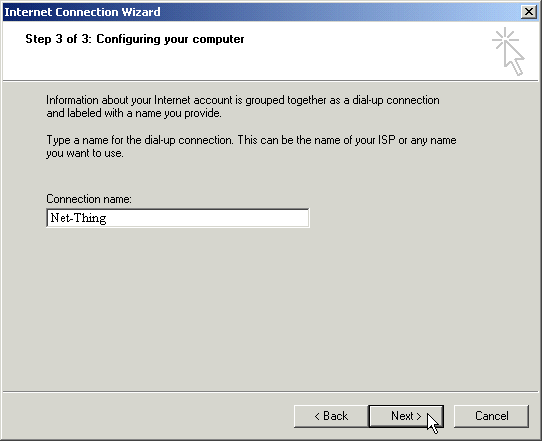
in Net-Thing for the connection
name. Click Next
- Select
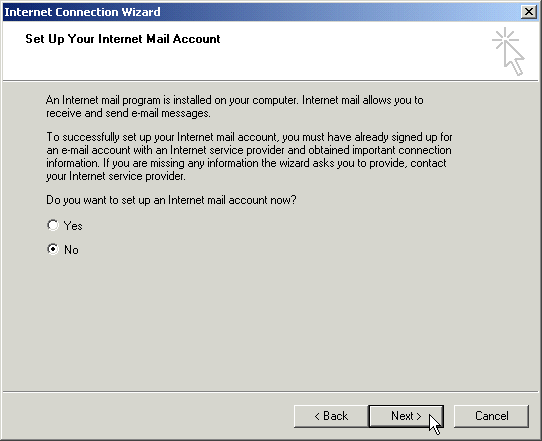
No and Click Next
- Click
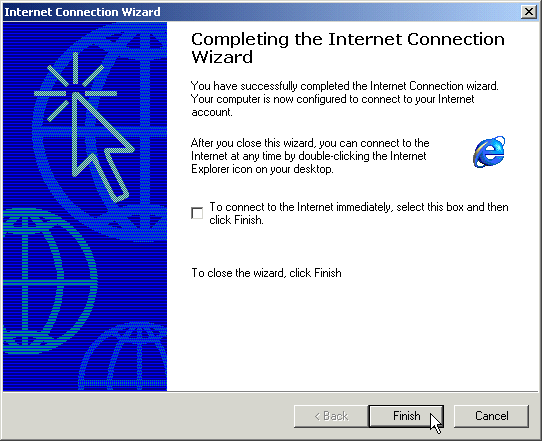
Finish
|