|
Windows
ME Dial-Up Configuration
-
Double
click My Computer on the Desktop, then
open Dial-Up Networking from the listed
folders.
-
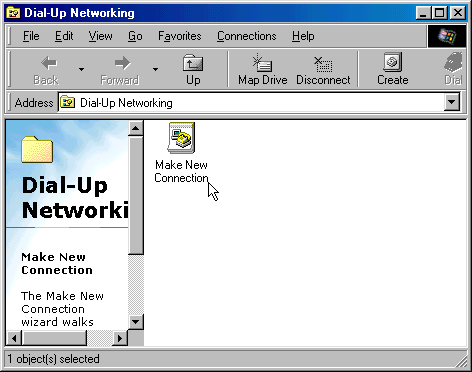
Double-click
the Make New Connection icon
-
In
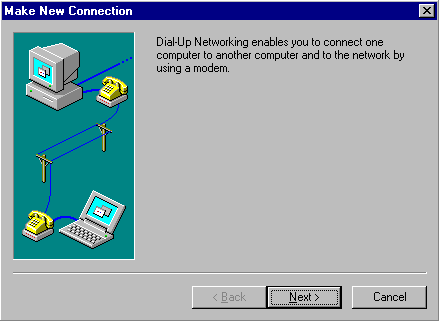
the Welcome to Dial-Up Networking window,
click Next
-
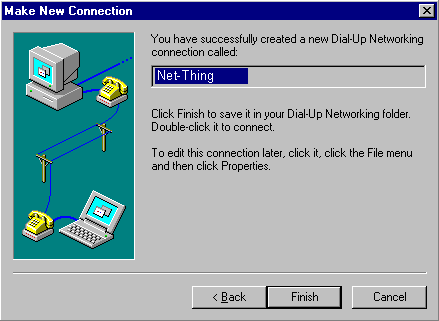
In
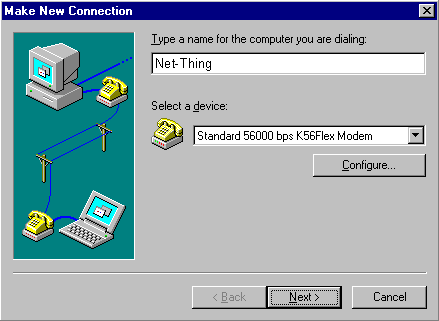
the Make New Connection window, type in
Net-Thing for the name of the
computer. This actually becomes the name of the
connection.
-
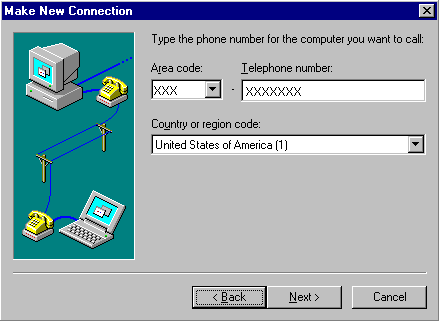
Type
the Area code and Telephone access number for
your calling area. Click Next. Click
here for access numbers.
-
Click
Finish
Configuring
your Dial-up Connection
-
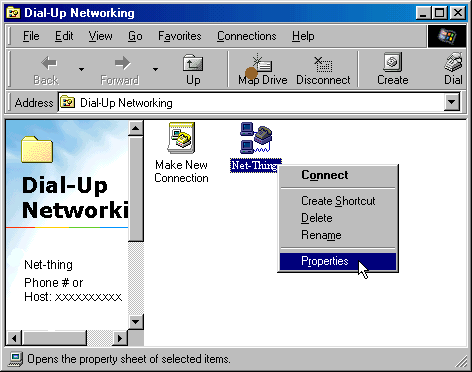
Right
Mouse Click on the Net-Thing
Icon and select Properties.
-
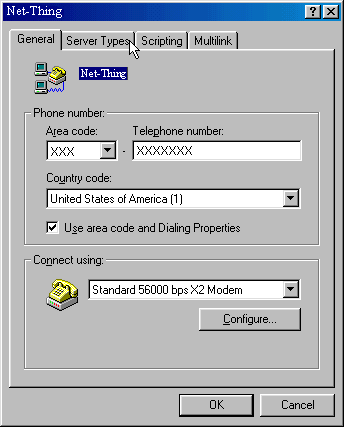
A
new window entitled will appear. Click the Server
Types Tab.
-
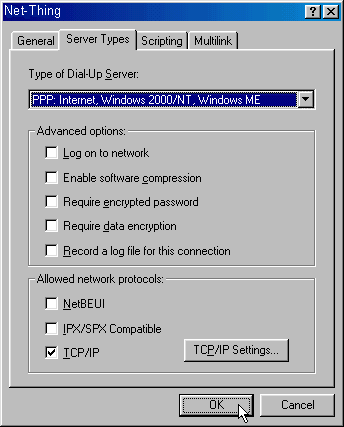
Select
PPP: Internet, Windows 2000/NT Server, Windows
ME for the type of Dial-Up Server. The only
check marked box should be TCP/IP. Click
TCP/IP Settings..
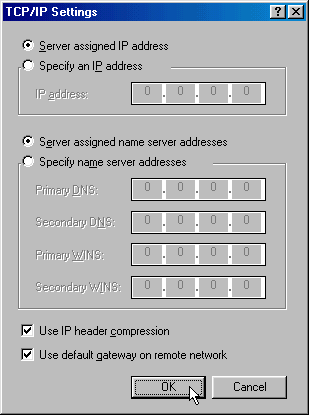
Another
window will open with the title TCP/IP Settings.
Select Server assigned IP address and
Server assigned name server addresses. Also,
place a check in front of Use IP header compression
and Use default gateway on remote network.
Click OK. And click OK on the
Net-Thing window to close it.
Connecting
to Net-Thing
-
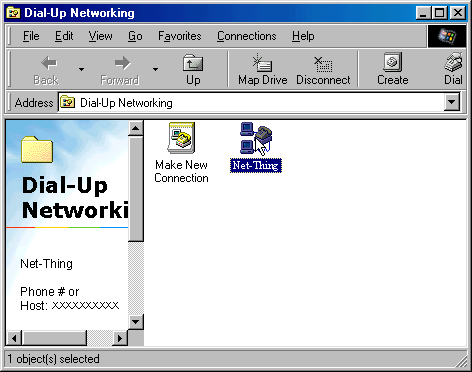
To
connect to, Net-Thing double
click the Net-Thing icon
-
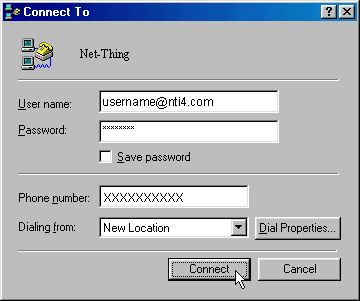
Enter
your Net-Thing User name and Password.
Click Connect.
|